Viewers
File viewers
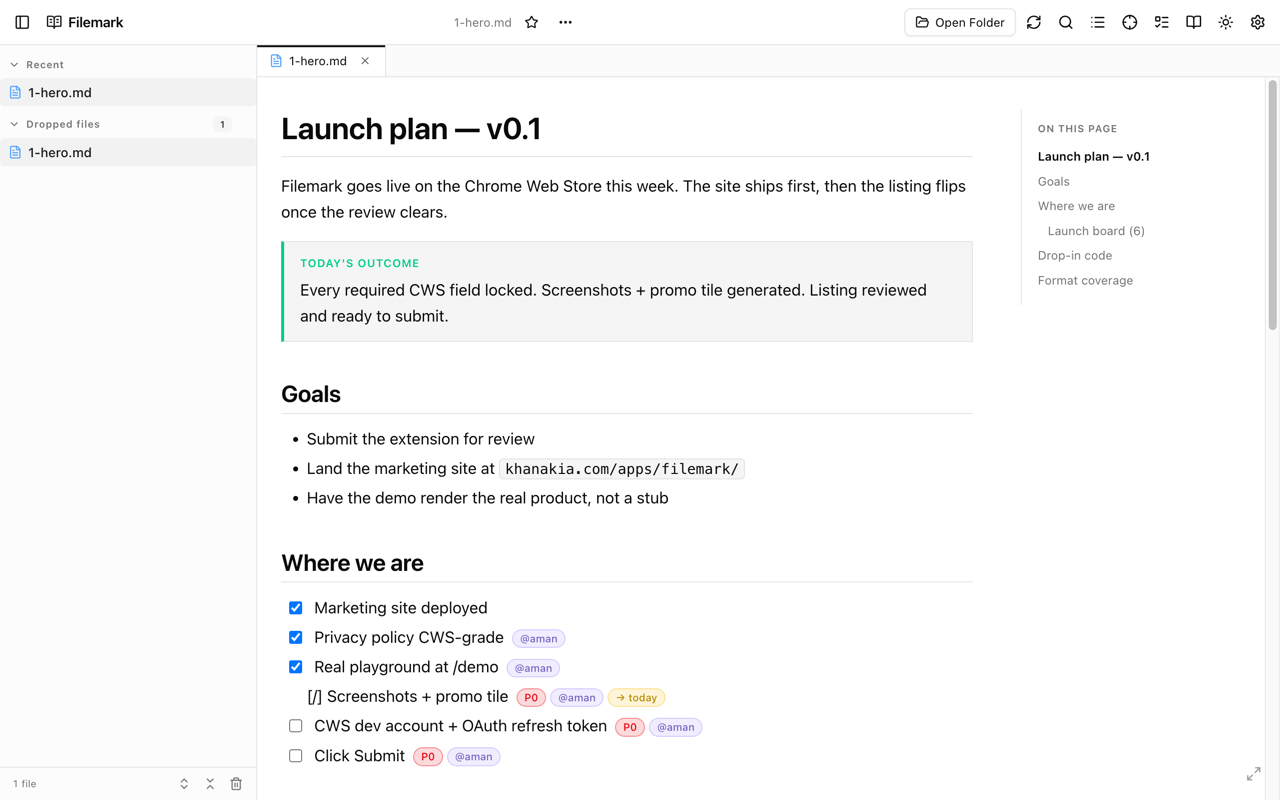
Filemark picks a real renderer from the file extension. Each is interactive — sortable, collapsible, zoomable — not a static dump.
Markdown & MDX — .md, .mdx, .markdown
Full GitHub-Flavored Markdown: tables, task lists, strikethrough, footnotes, autolinks, and emoji shortcodes (:smile: → 😄). Code blocks get real syntax highlighting (Shiki, 30+ languages, theme-matched), YAML frontmatter renders as a metadata card, and Mermaid diagrams and KaTeX math render inline. On top of GFM, Filemark adds a large library of interactive components — see Markdown & components.
JSON & JSONC — .json, .jsonc
An interactive collapsible tree instead of a wall of text: expand and collapse nodes, switch between nine color themes, see a type chip on every value, and copy any value or its full path in one click. Large files render collapsed by default; .jsonc allows comments and trailing commas. When a file won't parse, Filemark points to the exact line of the problem rather than failing silently.
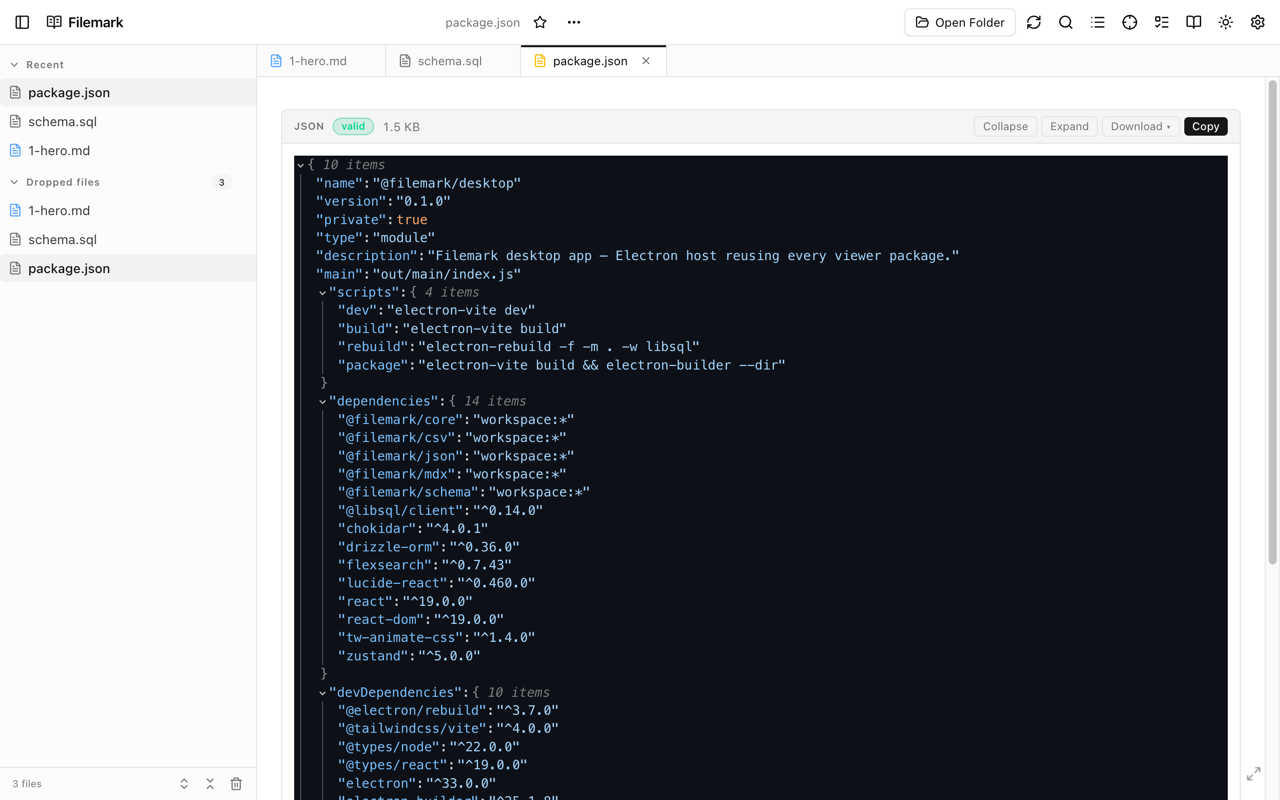
JSON viewer defaults (theme, collapse depth, string truncation, copy indent, type/size badges) are all configurable — see Settings.
CSV & TSV — .csv, .tsv
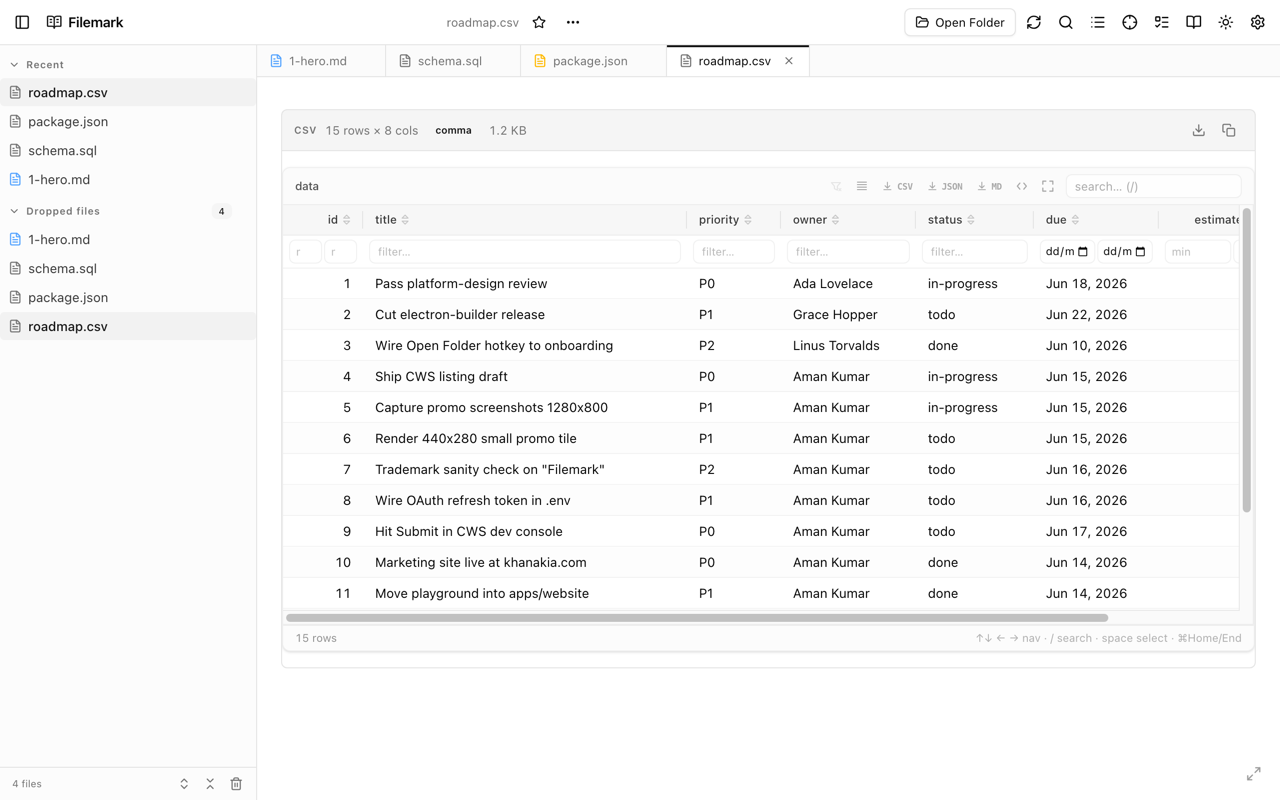
A sortable, filterable data grid like a spreadsheet: click a header to sort (Shift-click for a secondary sort), filter per column, resize and pin columns, switch density, go fullscreen, and export the selection to CSV, Markdown, or JSON. Columns are type-aware — status badges, tags, ratings, currency, percentages, dates, progress bars, and more. The delimiter is auto-detected.
CSV on file:// is intercepted
.csv. Filemark intercepts it so it opens as a grid in place. Disable the CSV format in Settings to get the default download behavior back.Database schemas — .sql, .prisma, .dbml
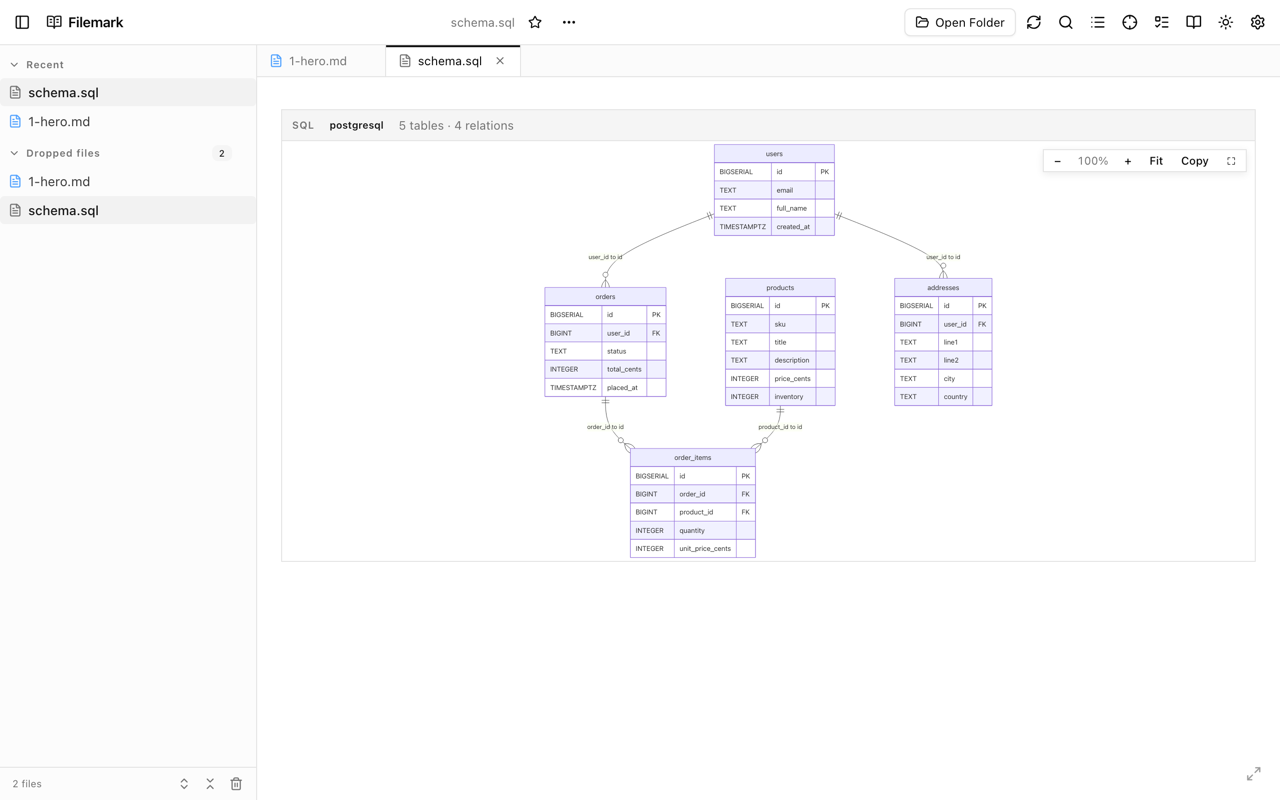
An interactive entity-relationship diagram straight from your schema. Drag tables around the canvas, zoom and pan, use the mini-map on large schemas, and jump to a table by name. SQL covers PostgreSQL, MySQL, SQLite, ClickHouse, and more; Prisma and DBML render the same canvas. If a file can't be parsed into a diagram, it falls back to highlighted source so you still see something useful.
Raw source view
Every file has a raw view — press R (or use the file actions) to flip between the rendered output and syntax-highlighted source, with a soft-wrap toggle and one-click copy.
Turning a format off
Don't want Filemark handling a given type? Disable it on the options page and Chrome's default behavior returns for that extension.