Feature
Revision mode
When you're iterating on a doc with an AI, you don't want to re-read the whole thing after every edit. Revision mode snapshots the doc as it changes so you can review only what changed.
What it does
Turn it on for a doc and Filemark keeps a short history of it. Each time the content changes, it captures a new revision. Then you can diff any two revisions (or a revision against what's on screen) and see exactly what moved — as rendered markdown or as raw source lines.
Turning it on
Click the History (clock) icon in the toolbar. It glows green while revision mode is on for the current doc. The setting is per document and persists across reloads.
How capture works
- Snapshots on change. Every time the doc renders with different content — you reload, auto-refresh re-reads it, or you edit and refresh — Filemark hashes the content and stores a new revision only if it actually changed (identical content is never duplicated).
- Keeps the last 5. It's a “review what just changed” buffer, not full version control — the oldest drops off.
- Manual snapshot. A drag-dropped file can't be re-read on its own, so the bar has a Snapshot button to capture the current state on demand.
- 100% local. Revisions live in your browser (
chrome.storage), never uploaded.
Browsing history
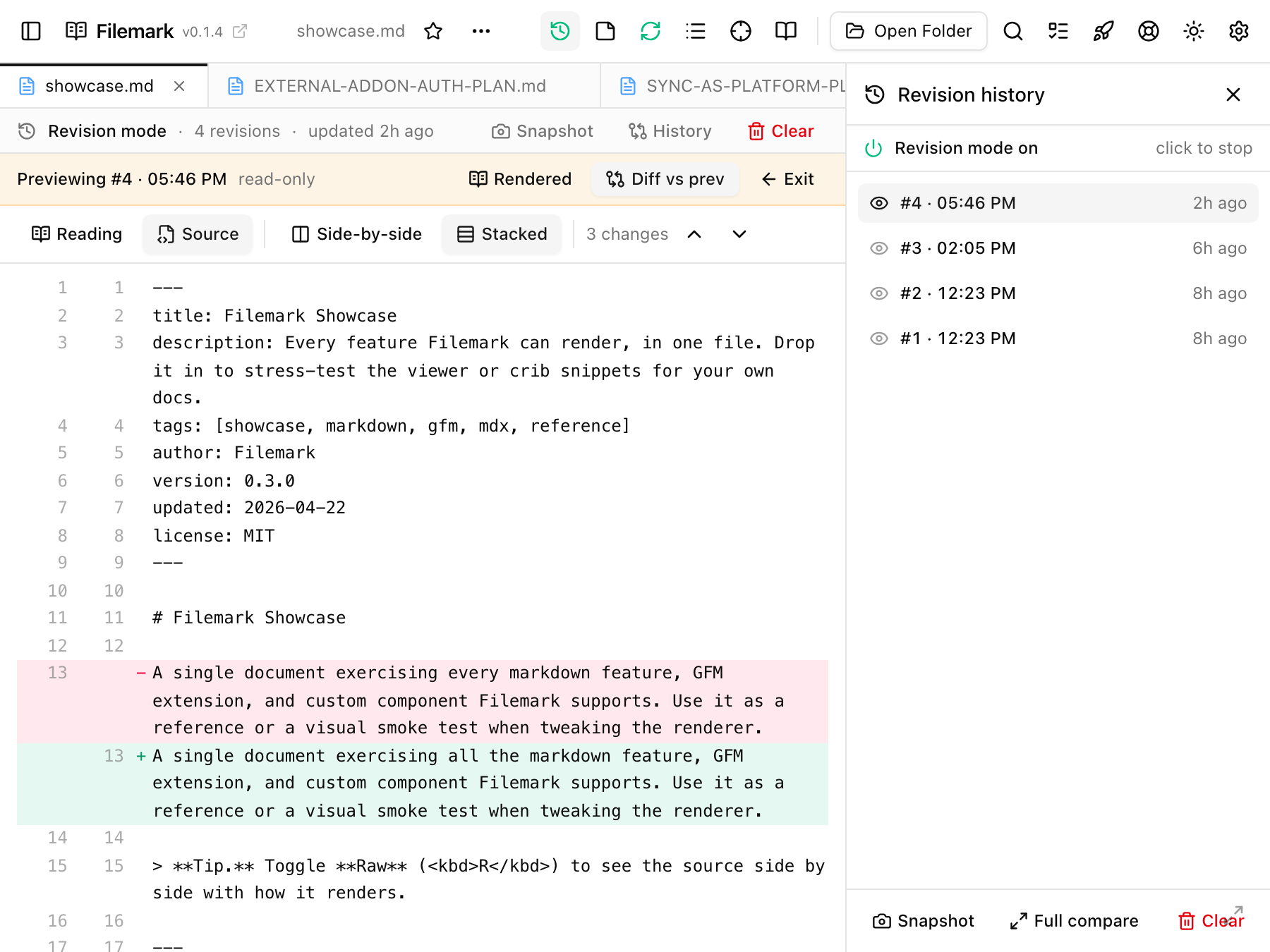
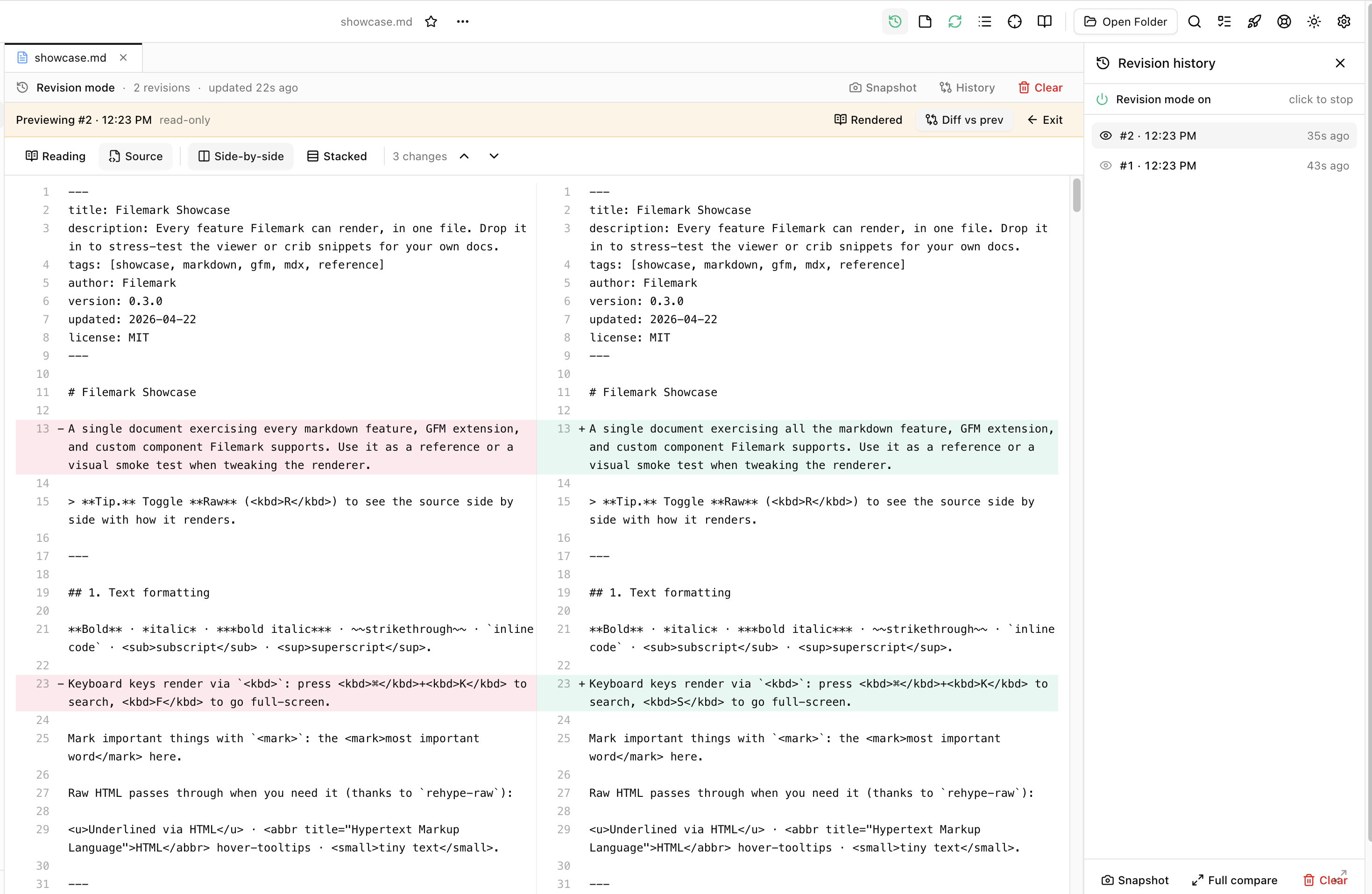
With revision mode on, a slim bar appears above the doc (“Revision mode · N revisions · changed 2m ago”) with Snapshot, History, and Clear. Open History for the side panel: a list of revisions, newest first, plus the live “Current” state on top when there's an unsaved on-screen change.
- Click a revision to load it read-only into the main view — step through versions by clicking different rows.
- Diff vs previous on any row shows that revision's changes inline.
The two diff views
Both the inline diff and the full-screen compare offer the same lenses:
- Reading diff — the rendered markdown with changed sections highlighted; word-level for prose, structured cell diff for tables, and an “Only changes” toggle that collapses everything unchanged.
- Source diff — the raw markdown lines, in Side-by-side or Stacked layout, with jump-to-next-change.
The picker lets you compare any two stored revisions, or the latest against the live document.
Your view is remembered
Clearing history
Clear resets the history to a single fresh baseline of the current content — so the next edit is immediately diffable, with no confusing empty first revision. It stays cleared across reloads until the doc actually changes.
It's read-only