Feature
AI review notes
Reviewing a doc an AI wrote? Mark up the rendered page like you'd scribble on a printout, then hand the whole list back to your AI in one paste.
How it works
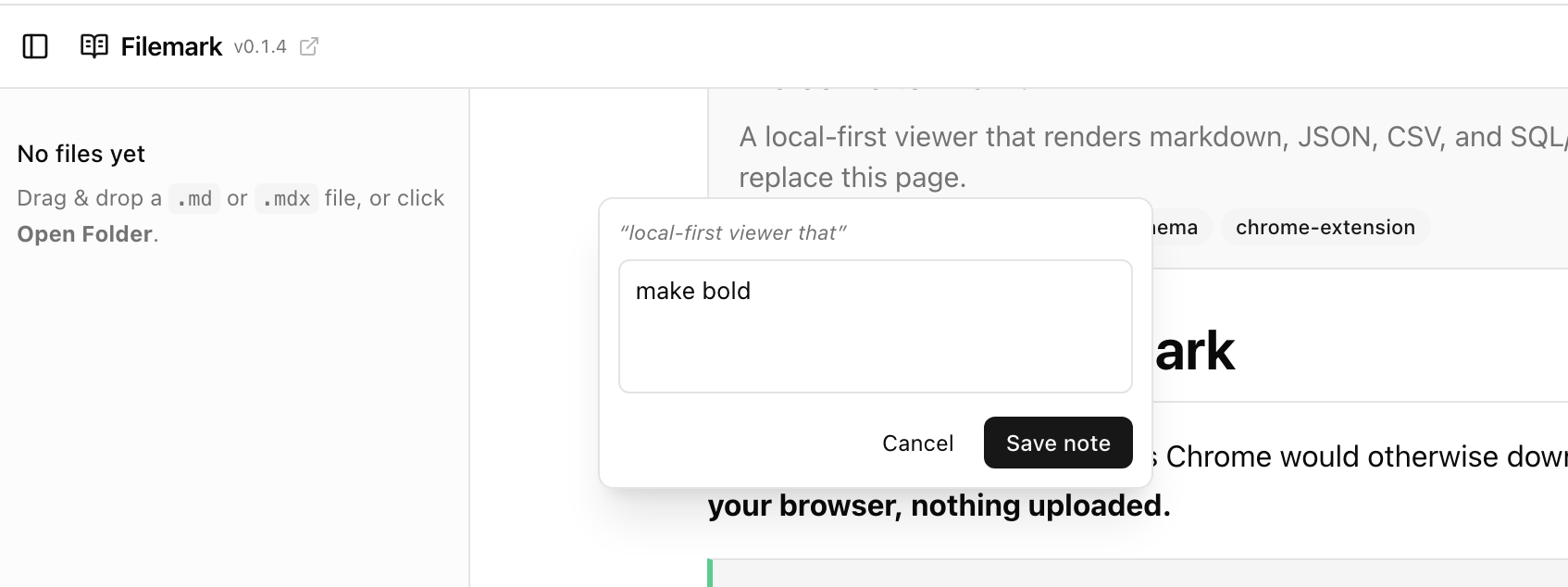
- Highlight any text in the rendered document. A “+ Note” button appears.
- Write an instruction for the AI (“tighten this”, “wrong — it's deny-by-default”, “add an example”). Save with ⌘↵.
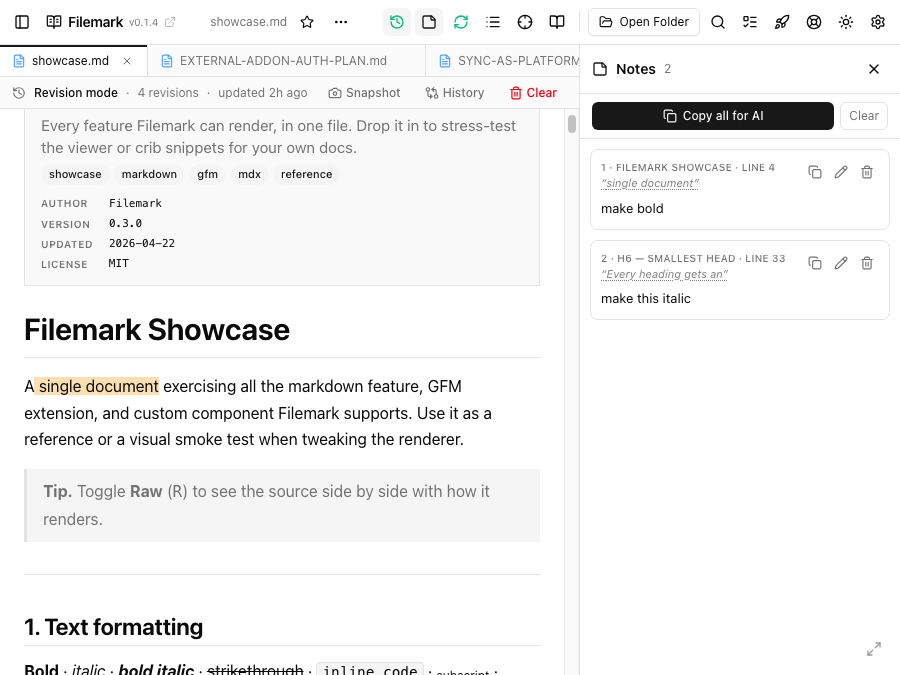
- The highlight stays painted on the page and the note lands in the sidebar.
- Copy all to get every note as plain text, then paste it into your AI chat.
What each note captures
Every note records the exact quoted text, the nearest heading (which section it's in), and the source line number — so when you paste them back, the AI knows precisely where each instruction applies. Copy a single note, or all of them at once.
Navigating notes
- Click a note in the sidebar to scroll to its highlight and flash it.
- Click a highlight in the document to jump to its note in the panel.
Ephemeral by design
Notes live in memory for the current view — they're a scratch pad for a review pass, not saved into the file. Switching files or reloading clears them. There's no sidecar file and nothing is written to your document.
Highlights survive re-renders
Highlights are re-resolved from the quoted text on every change, so they stay put even when code blocks re-highlight or the page re-renders.