Productivity
Tasks
Filemark treats markdown checkboxes as real tasks: add priority, owner, and due-date sigils, then filter, group, and roll them up across files.
Writing a task
A task is a GFM checkbox bullet plus optional sigils:
- [ ] Ship the docs @aman !p1 ~2026-07-01 (website) #seo ^docs-ship- Status —
[ ]todo,[/]in progress,[x]done,[!]blocked,[?]question,[-]cancelled. - @owner · !p0–p4 priority · ~YYYY-MM-DD due date · (project) · #tag · ^id stable id · after:^id dependency.
Checkboxes toggle right in the rendered view and the state persists per file.
Lists, stats & timelines
Pull tasks into views anywhere in a doc:
<TaskList filter="is:open AND priority<=p1" group-by="owner" sort="priority:asc" /><TaskStats md />— counts by status / priority / owner / project.<TaskTimeline md lane="owner" />— a Gantt-style strip.
The cross-file task panel
Press ⌘T to open the task panel — it aggregates every task across your open files with filter tabs (All, Open, Today, Week, Overdue, Blocked), search, and a group-by dropdown. It's the single place to see “what's due” across a whole project.
Kanban
Render a board from your tasks with <Kanban md group-by="status" />, or from a CSV with <Kanban src="./roadmap.csv" group-by="status" />.
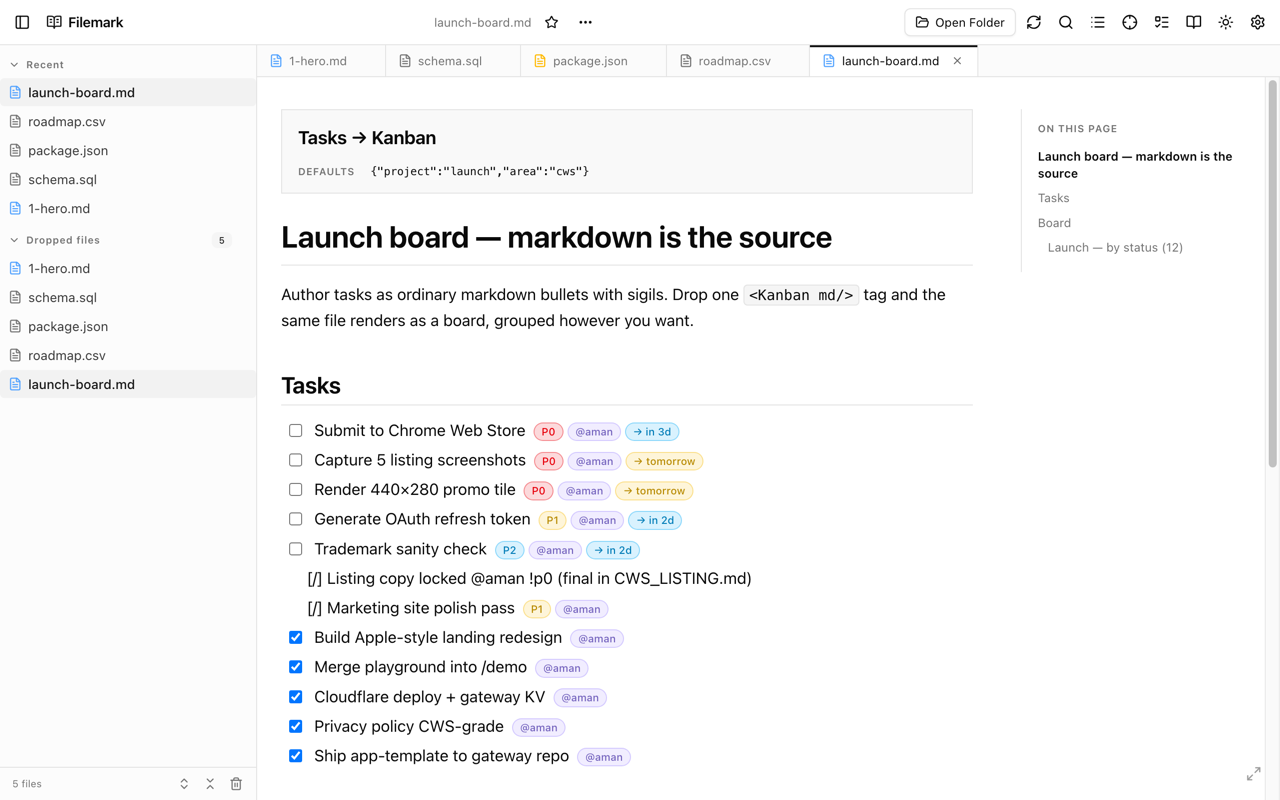
Authoring the sigils + filter DSL
The full task grammar and the
<TaskList> filter DSL are taught by the AI skill so your assistant writes valid tasks.